
If your touch screen is not responding properly, please check the following:
1. Confirm you are using the original power adapter
The original adapter should be 24V / 2.7A.
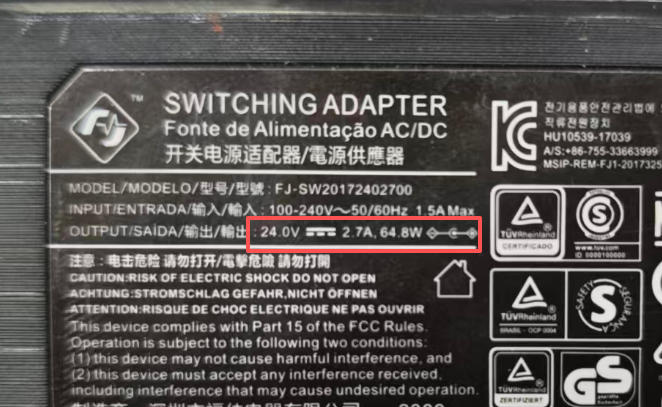
Using a non-original or incorrect adapter may cause the touch panel to respond slowly or stop responding entirely.
It may also damage internal components.
2. If the adapter is correct, the LCD may be faulty
A malfunctioning LCD touch panel can cause unresponsive touch behavior.
In this case, the solution is to replace the LCD screen.
You can follow the screen replacement video tutorial below (same method applies to all 180T series screens).
If you need a replacement LCD, please contact your local distributor or the seller of your machine.