
If your MTB-CUT M188 displays “Time Out” after powering on, it is usually caused by an abnormal serial communication between the screen and the mainboard.
This situation may be caused by the following reasons:
- Screen firmware is corrupted or missing
- Screen mainboard failure
- Abnormal communication between the screen and the mainboard
Solution
Please try the following operations:
- Long press the “Reconnection” button
- Enter the system upgrade interface
- Enter the upgrade password: 1313
- Redownload and reinstall the firmware
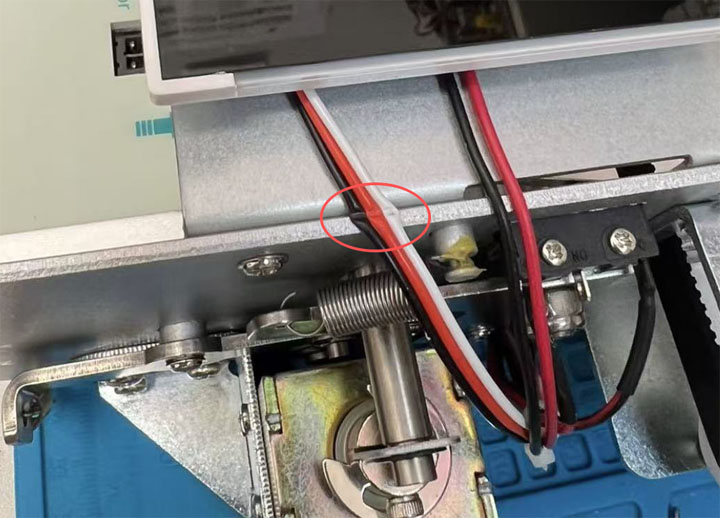
Loose or Damaged Screen Cable
Open the back cover and check the cable connection between the screen and the mainboard.
If the cable is loose, reconnect it securely.
If it’s damaged, replace it with a new one.
If the problem persists
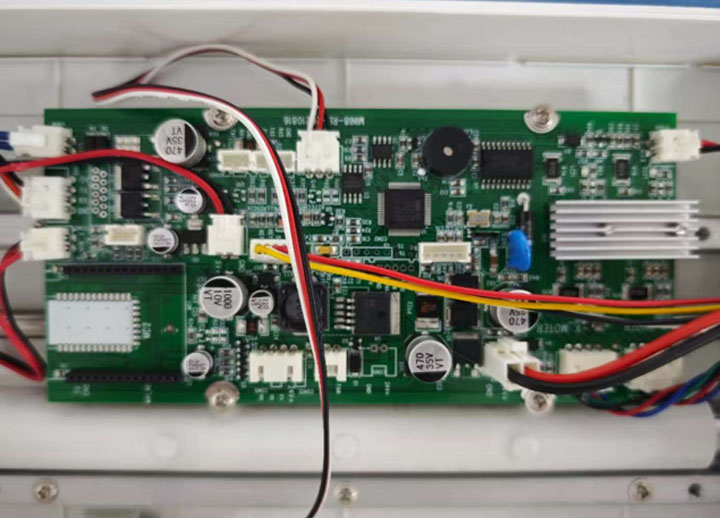
If the system still cannot recover after reinstalling the firmware, it may be a mainboard failure of the device.
Please contact your local distributor or the person who sold the device to you to obtain a replacement mainboard.
Notes:
Before replacing the mainboard, take a clear photo of the barcode label on the back of your machine and send it to the support team to ensure you receive the correct part version.
After installation, restart the machine and verify that the system boots up normally.