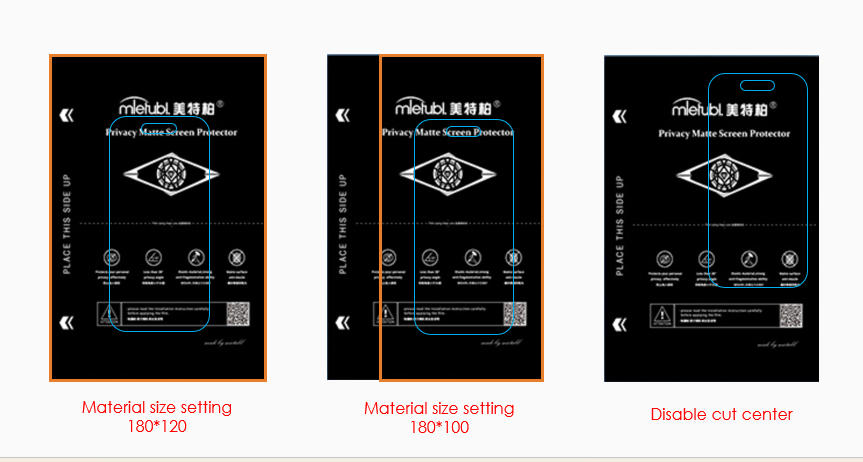
You can adjust the cutting location by modifying the Material Size and enabling or disabling the Cut Center function.
Here’s how it works:
When “Cut Center” is enabled:
- The machine will use the material width and height you input
- And automatically place the cutting area in the center of the material.
- Recommended for regular screen protector films and standard back films.
When “Cut Center” is disabled:
- The machine will start cutting approximately 8 mm away from the material edge.
- This is ideal for larger templates, such as full-cover back films, ensuring the entire shape fits on the material.
You may refer to the illustration below (insert diagram here) to better understand how material size and the Cut Center option affect cutting position: