
For devices with a barcode format MT00XXXXXXXXXXX, the machine supports connection to Canon G580 / G680 and Epson L3250 printers.
To connect, make sure that the screen protector cutting machine and the printer are on the same network, and that the printer is shared properly.
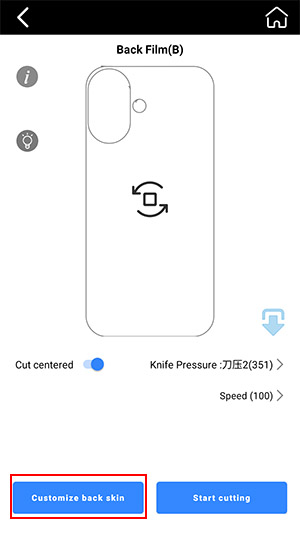
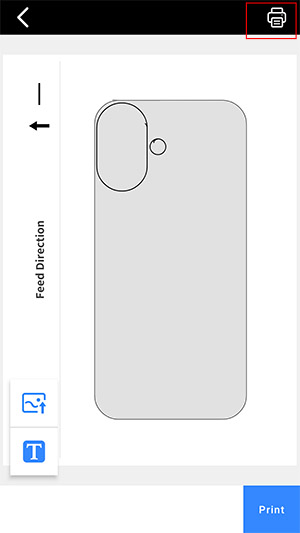
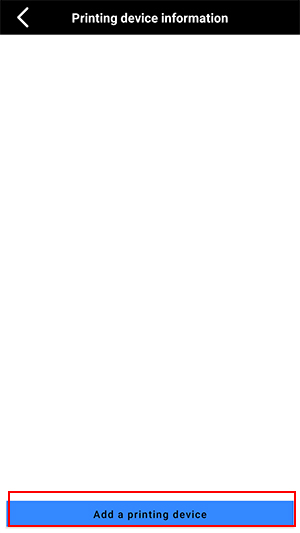
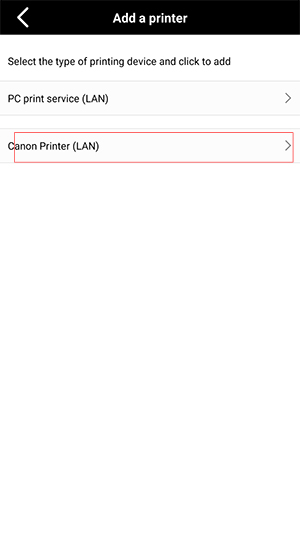
For devices with a barcode format MTB-CUT XXXXXX, the machine supports direct connection to Canon printers.
For printers other than Canon, a driver must be installed on your PC.
For detailed instructions, please refer to the following tutorial:
https://www.youtube.com/watch?v=Lh-bBPna4HU