
"The feature is only available in version 3.0.03 and above. You can check your current app version by going to ""About This Device"".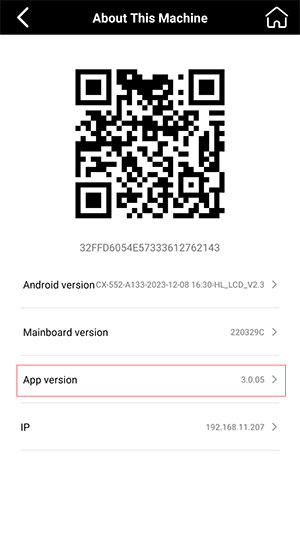
If your version is lower than 3.0.03, please go to ""My"" -> ""App Upgrade"" to update your app to the latest version.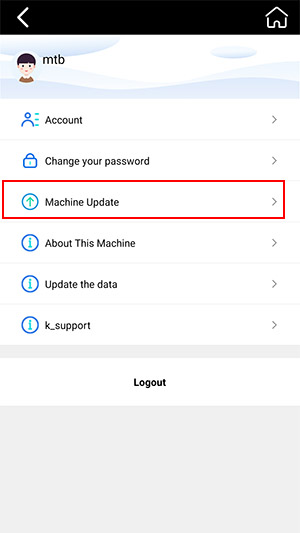
After upgrading to version 3.0.03, you will find the Word Cutting feature located in the upper-left corner of any back film template.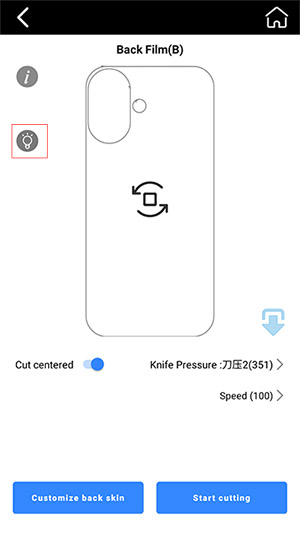
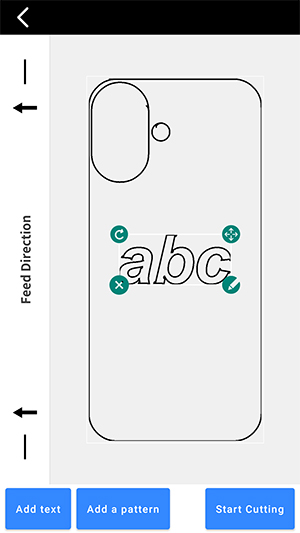
How to cut letters and numbers
Last updated Nov 22, 2025
M
Mietubl Team
Was this article helpful?
Your feedback helps us improve the knowledge base.