
Please follow the steps below to resolve it:
Open Settings on your device.
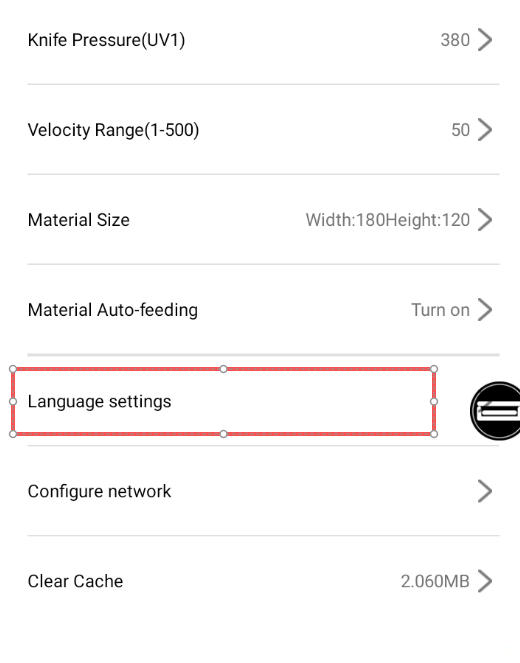
Change the language to English.
Tap “My” → “Data Update” to reload and synchronize the language package.
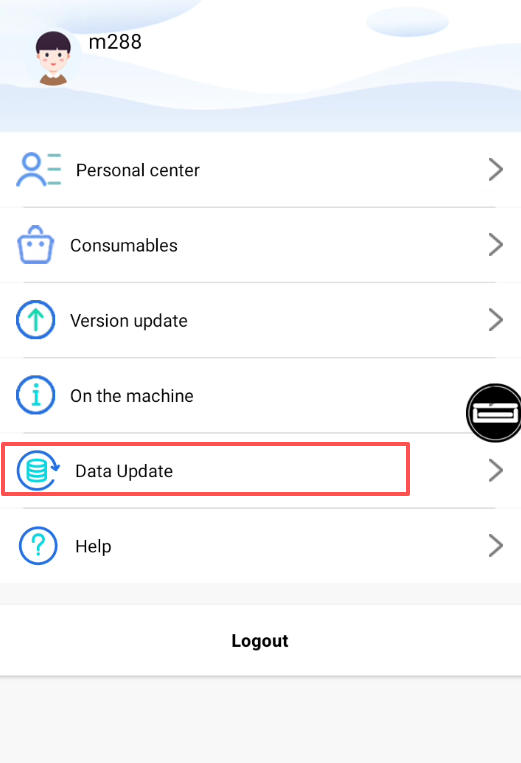
Restart the machine and check if the text displays normally.
Tips:
Make sure your machine is connected to a stable internet connection during the update.
If the problem persists after updating, it may be caused by corrupted system files. Please contact our technical support team for further assistance.